
Web Search
Web Search
Enable your AI agent to retrieve real-time information from the internet during execution, accessing up-to-date external data instead of relying solely on pre-trained knowledge.
What is the Web Search tool?
The Web Search tool is an agent tool that enables an AI agent to retrieve real-time information from the internet during execution. By using this tool, agents can access current external data such as news, market trends, company information, and technical updates instead of relying solely on pre-trained knowledge.
The tool performs the search, retrieves relevant results, and the LLM processes them to extract useful information. The output is returned as a ToolMessage, and the agent continues execution using the retrieved data.
- Real-Time Information Retrieval — search for current data including news, market trends, company profiles, and technical updates
- Structured Output — returns results with source links, citations, and extracted content
- Full Observability — all search activity is visible in activity logs, including the query, sources used, and extracted results
Prerequisites
- At least one LLM provider connection available in your Konnectify account.
- A supported model selected for your agent — OpenAI GPT-4o or Anthropic Claude 3 and above.
- An existing agent or the ability to create a new one in the AI Agents section.
Configuration
When adding the Web Search tool to an agent, three fields must be configured. Each one shapes how the agent identifies, invokes, and uses the tool during execution.
Specifies how the tool should be used. Use this field to provide the agent with detailed operational guidance for example, prioritizing recent sources, requiring citations in responses, or structuring the output in a specific format. Well-written instructions directly improve the quality and consistency of the tool's output.
A custom identifier used by the agent to invoke the tool. This is the name the agent will reference internally when deciding to use web search.
Defines when the agent should use the Web Search tool. A clear, specific description helps guide the agent's decision-making process — the better the description, the more reliably the agent invokes the tool at the right moment.
When to Use
Use the Web Search tool when your agent needs dynamic or external data that goes beyond its pre-trained knowledge.
- Researching company profiles, founders, or funding data
- Fetching the latest news on a topic
- Identifying competitors, trends, and industry insights
- Enriching internal records with external data
- Looking up documentation, versions, or technical updates
- Static or already known information the model has in training
- Private or restricted content (not accessible by web search)
- Data that requires authenticated access to internal systems
Step-by-step Guide
Navigate to the AI Agents section and open an existing agent or create a new one.
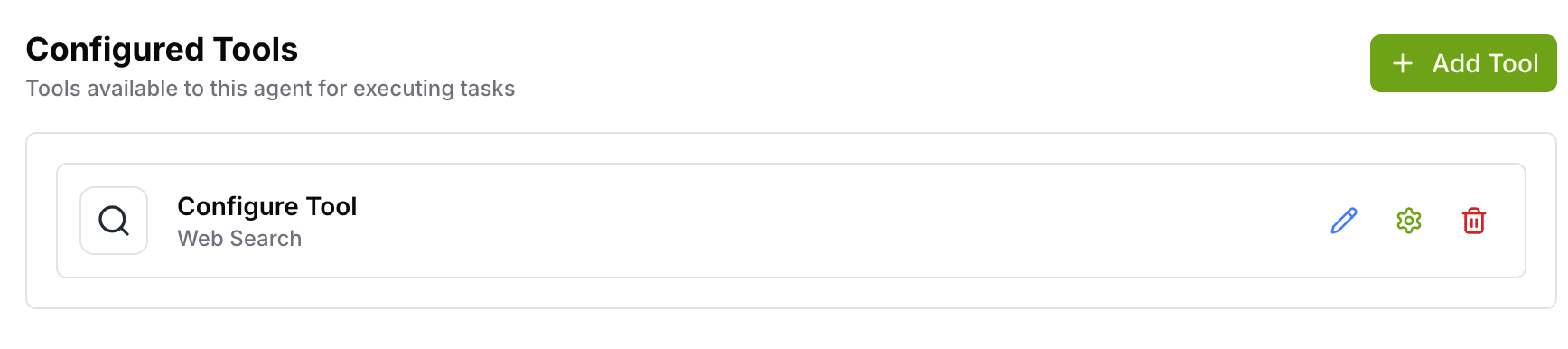
Inside the agent, navigate to the Configured Tools section.
Click Add a new tool and select Web Search from the tool list.
- Write Instructions — specify how the tool should behave, such as prioritizing recent sources, always including citations, or structuring the output in a specific format.
- Enter a Tool Name — a clear identifier the agent will use to invoke the tool.
- Write a Description — define when the agent should use web search (e.g. "Use this tool when the user asks for real-time or current information not available in training data").
Update the agent's main instructions to include guidance on when to use the Web Search tool. This reinforces the tool's purpose at the agent level.
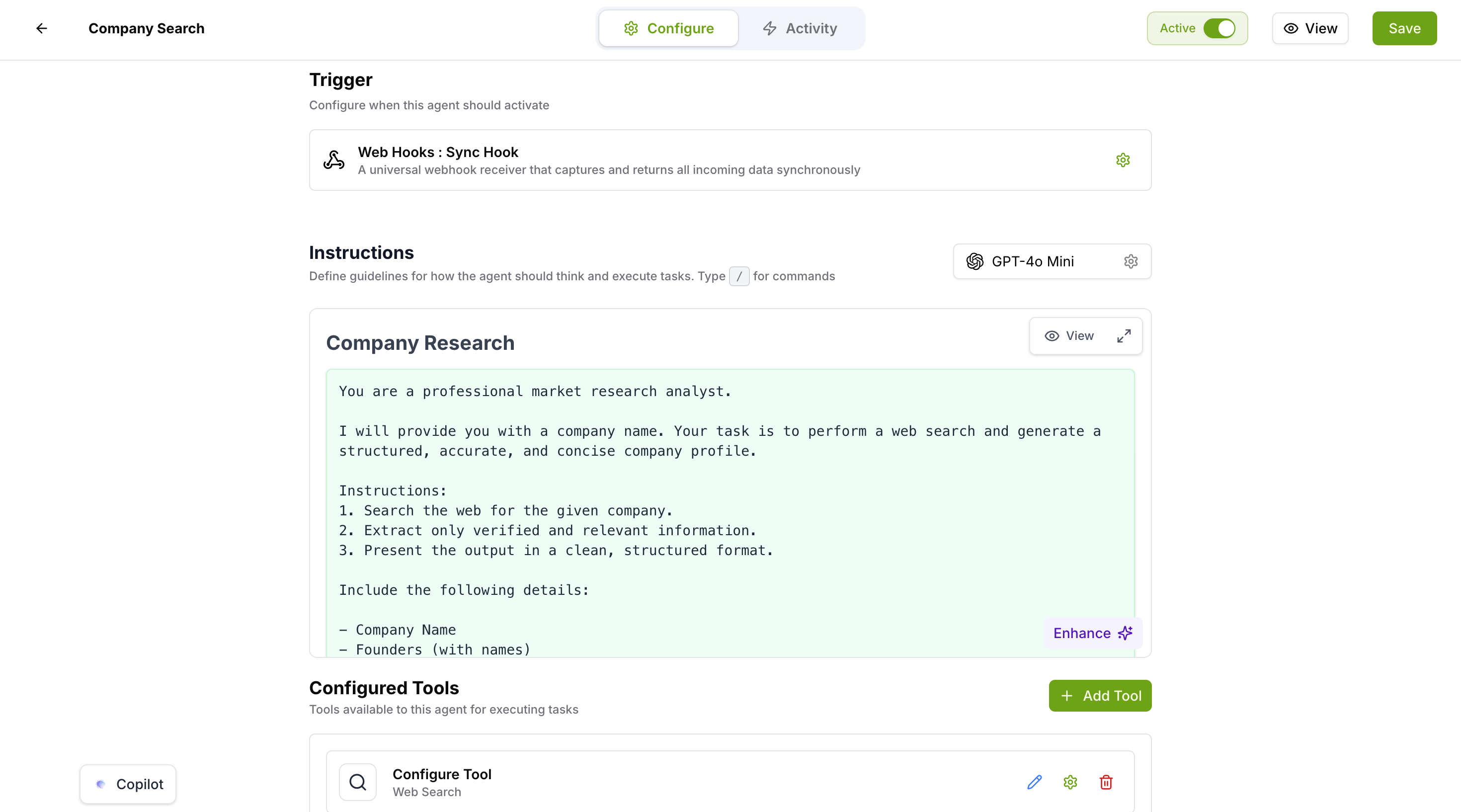
Choose a compatible model for the agent — OpenAI GPT-4o or Anthropic Claude 3 and above.
Save the configuration and activate the agent to make it live.
- Test the agent with queries that require real-time or external information.
- Verify the results and review the activity logs to confirm the tool was invoked correctly.
Activity Logs
The activity logs provide full visibility into every Web Search tool execution, ensuring transparency and making it easier to debug and validate agent behaviour. Each log entry includes:
- Search query — the exact query the agent used to search the web
- Sources referenced — the list of web sources the tool retrieved results from
- Extracted content — the relevant information pulled from search results
- Tool output — the full ToolMessage returned to the agent for further processing
Example Use Cases
Example Instruction
The following is a ready-to-use instruction you can paste into the Instructions field when configuring the Web Search tool for a Company Research use case. Adapt it for your own needs.
Things to Know
Best practices
- Clearly define when the tool should be used in the Description and agent instructions
- Write detailed Instructions — this field is required and has the most direct impact on output quality
- Use the tool for dynamic and external data requirements only
- Avoid using the tool for static or already-known information — it adds unnecessary latency
- Review activity logs after testing to confirm the agent is invoking the tool at the right moment
Limitations
| Limitation | Detail |
| Result accuracy | Depends on the capabilities of the selected large language model |
| Private or restricted content | Cannot be accessed — the tool only retrieves publicly available web content |
Was this article helpful?
That’s Great!
Thank you for your feedback
Sorry! We couldn't be helpful
Thank you for your feedback
Feedback sent
We appreciate your effort and will try to fix the article