
Tool calling in AI Agents
Tool calling in AI Agents
Tool calling allows an AI Agent to perform real actions in external systems — not just generate responses. Interact with Gmail, Freshdesk, CRM systems, and more to automate end-to-end workflows.
What is tool calling?
Tool calling is the ability of an AI Agent to invoke predefined actions (tools) while executing its instructions. These tools represent specific operations such as creating records, updating data, sending emails, or applying labels.
Instead of only analyzing data, the agent can take action based on that analysis.
Tool actions include
How tool calling works
Tool calling is driven by three main components that work together to determine when and how an action is executed.
Using tool calling in instructions
In the Instructions section, reference tools directly by typing /. This shows configured tools or discovers new ones across all connected apps — without leaving the screen.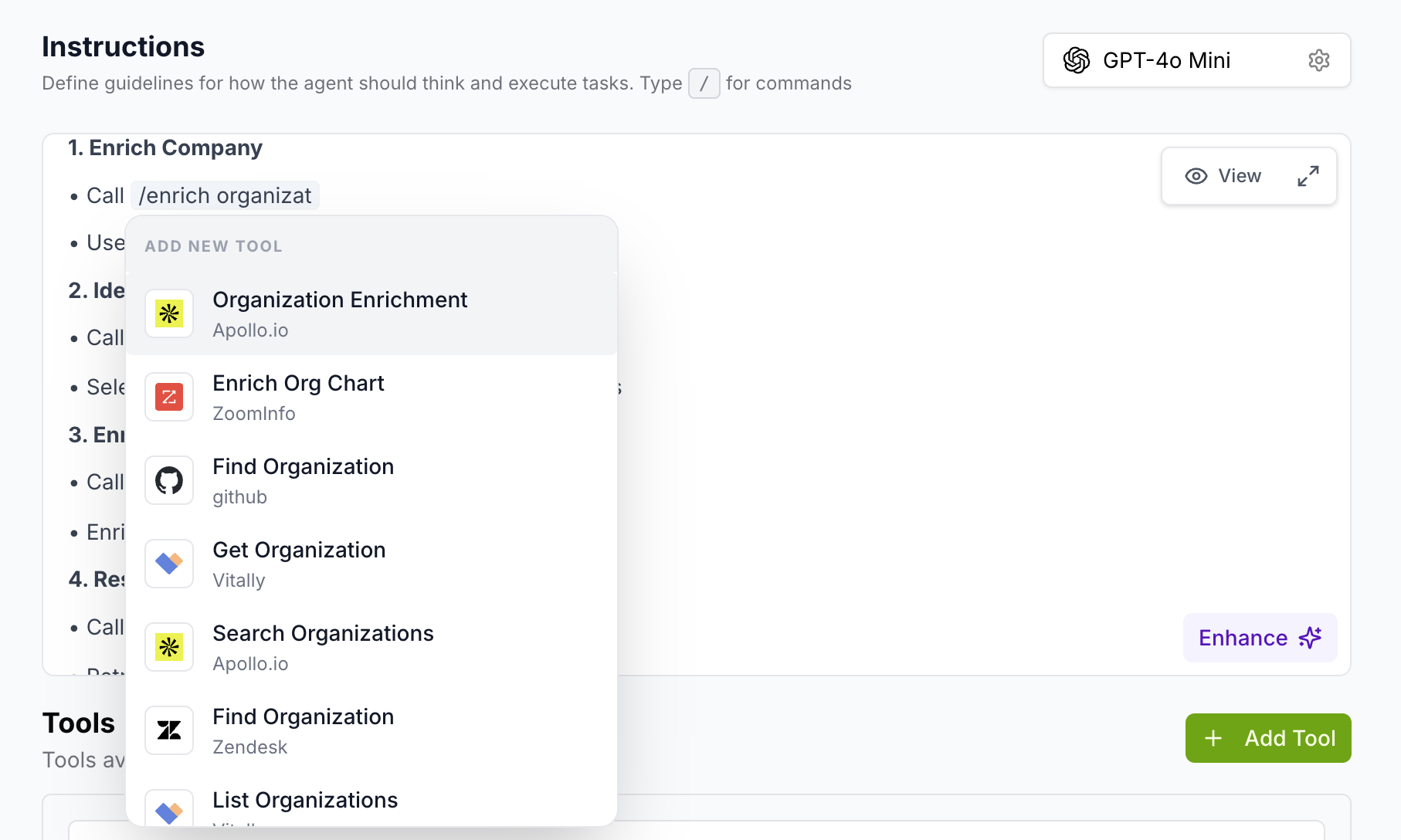
This lets you both use existing tools already added to the agent and discover new ones — without leaving the instructions screen.
When does the agent call a tool?
The agent calls a tool when all three of the following conditions are met. Behavior is fully controlled by writing clear and structured instructions.
Condition 01
Clear instruction
The instructions explicitly specify an action to take
Condition 02
Data available
The required input data is present from the trigger
Condition 03
Tool configured
The tool is properly set up with all required fields
Example workflow
A practical example showing how tool calling executes end to end — email categorization using Gmail.
Best practices
Follow these to ensure your tool calling setup works reliably in production.
Why tool calling is important
Tool calling enables the AI Agent to move beyond generating outputs and actually perform tasks — automating real workflows, reducing manual effort, and connecting systems through intelligent decision-making.
Automates real workflows
Agents complete entire end-to-end processes without human intervention
Reduces manual effort
Repetitive tasks like tagging, updating records, and sending responses are handled automatically
Ensures consistency
Every execution follows the same logic, producing reliable and predictable results
Connects multiple systems
Intelligent decision-making bridges CRM, helpdesk, email, and other apps in one workflow
Get started
Ready to put your agent to work?
Configure tools, write instructions, and let your AI Agent act — automatically.
Was this article helpful?
That’s Great!
Thank you for your feedback
Sorry! We couldn't be helpful
Thank you for your feedback
Feedback sent
We appreciate your effort and will try to fix the article